



Most people do not fail at affiliate marketing because they are lazy. They fail because they skip the boring setup steps, then spend months writing content on a website that is slow, confusing, or missing key trust pieces.
This affiliate website checklist is the exact beginner friendly setup I personally recommend. Nothing fancy. Just the core steps that make your site feel legit, trackable, and ready to earn.
Table of Contents
Affiliate Disclaimer: This site contains affiliate links, which means I may earn a commission on purchases made through these links at no extra cost to you.
Who this checklist is for:
This is for you if you are building your first affiliate website and you want a clear “do this next” path without getting lost in tech.
**A quick note before you start…
You do not need the perfect theme. You do not need a logo. You do not need to spend days picking plugins.
Your goal is simple: Build a clean foundation that loads fast, is easy to navigate, and has the basic trust pages and tracking in place.
Phase 1. Foundation setup

Choose your niche and basic site direction
Write one sentence that explains who your site helps and what you help them do. Example: “I help beginners learn affiliate marketing without overwhelm.”Pick a domain name you can live with
Aim for easy to spell, easy to say, and not too long. Avoid names that lock you into one tiny topic if you think you might expand later.Choose hosting and install WordPress
Most beginners do best with WordPress because it is flexible and widely supported. If you are using an All In One Platform (like Wealthy Affiliate), the same checklist still applies. You are still building the same core pages and structure.Turn on SSL
Make sure your site shows as https, not http. This is basic trust and security.Set your site basics in WordPress
Go to Settings and handle these early:
Site title and tagline
Timezone
Permalinks set to Post name
Delete the default Hello World post and sample page
Phase 2. Design and structure that makes sense

- Choose a lightweight theme
Pick something clean and fast. Your theme should support readable fonts, mobile friendliness, and simple navigation. Set your main navigation menu
Keep it simple. Most beginner affiliate sites do great with:
Start Here
Blog
About
Resources
Contact
Create your category structure
Do not create 20 categories. Start with 3 to 6 that match what you plan to write about. Example for an affiliate marketing site:
Getting Started
Traffic and SEO
Content and Blogging
Tools and Reviews
Email Marketing
Create a simple homepage plan
You do not need a fancy homepage, but you do need clarity. A good beginner homepage includes:
A short headline that says what your site is about
A few links to your best beginner posts
A link to your Start Here page
An email signup if you have one
Phase 3. The required pages every affiliate site needs
About page
Tell readers who you are, who you help, and why they should trust you. Keep it human and specific.Start Here page
This is your beginner roadmap. Link to 3 to 7 of your most helpful posts in a logical order.Contact page
Use a simple form and an email address if you want. This is a trust signal.Privacy Policy
If you use analytics, cookies, or email opt ins, you need this.Affiliate Disclosure
You need a clear disclosure that you earn commissions from qualifying purchases.Terms of Use
Helpful for protecting your content and setting expectations.
**Optional but smart…
Cookie notice
Depending on your tools and audience, you may want a cookie banner solution.
Phase 4. Essential tools and settings (keep this minimal)

You do not need a plugin for everything. Here is the beginner stack that covers the basics.
An SEO plugin
Set your site title format and make sure you can edit meta titles and descriptions.A caching or performance tool
Speed matters. Keep images compressed and avoid heavy page builders early on.Image compression
This helps your pages load faster without you thinking about it every day.Backups
Use a backup solution so you can restore your site if something breaks.Security basics
Use strong passwords, limit login attempts, and keep plugins updated.
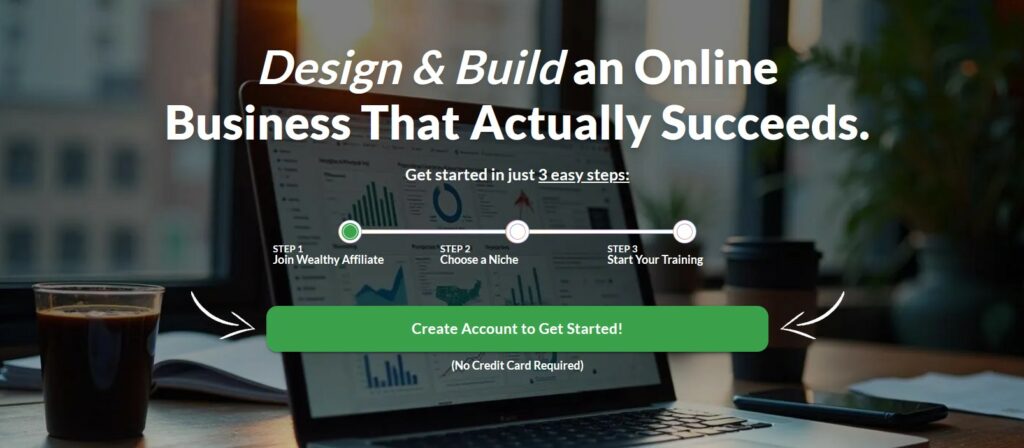
👉 If you want a platform that includes the hosting, a website builder, image compression, and the core tools you need to get started, WEALTHY AFFILIATE bundles everything in one place so you can set it up once and focus on building content and traffic.
Phase 5. Tracking setup (so you know what is working)
If you skip tracking, you will never know which posts drive clicks and commissions.
Set up Google Analytics
So you can see traffic sources, popular pages, and reader behavior.Set up Google Search Console
So you can see what keywords you rank for and which pages get impressions.Connect your site to your affiliate links strategy
Decide how you will manage affiliate links:
Direct links inside posts
A link management plugin for cleaner links
A Resources page where you list your favorite tools
Set up your email list if you plan to build long term
Even a simple weekly email can become your best traffic source later.
Phase 6. Content setup
Write your first 5 to 10 posts in these buckets
A “Start here” beginner guide
2 how to tutorials
2 problem solving posts
1 tools or platform post
1 comparison or alternatives post
Example topics for an affiliate marketing site:
How to start affiliate marketing with a full time job
How to pick a niche you will not quit
Beginner SEO checklist for your first blog posts
Best tools I use to run my affiliate website
Wealthy Affiliate review or a “training I use” post
Phase 7. Pre launch checklist (do this before you share your site)

- Check mobile layout
Open your site on your phone and click around like a visitor. Check page speed
Make sure images are not huge and pages load reasonably fast.Add your disclosure to key locations
Put an affiliate disclosure near the top of posts that contain affiliate links. Also keep a site wide disclosure page.Proofread your main pages
Start Here, About, and your first few posts should feel polished.Create a simple internal linking habit
Every new post should link to 2 to 4 related posts on your site.
My favorite beginner shortcut
There really are no true “shortcuts” but an All In One Platform with a step by step guide that includes training walking you through building the site, writing content, and learning SEO as you go, can be extremely helpful.
If you want the simplest next step, you can check out Wealthy Affiliate here and follow the guided setup to get your site live and start learning the basics as you go. When you join through my link, you will be able to explore the platform and decide if it is the right fit for you before you commit to anything.
Conclusion
Your first affiliate website does not need to be perfect. It needs to be clear, trustworthy, and consistent. Use this checklist once, set your foundation, then focus your energy where it actually pays off… publishing helpful content and building traffic.

Elizabeth teaches people how to make money online through affiliate marketing. Her tips and strategies help readers earn a Full-Time Income from home. She shares easy steps for success on her blog. Follow her to start your journey!